How to redeem an eBook voucher code
Print
Modified on: Tue, 14 Jul, 2026 at 10:02 AM
- Navigate to www.itf-academy.com
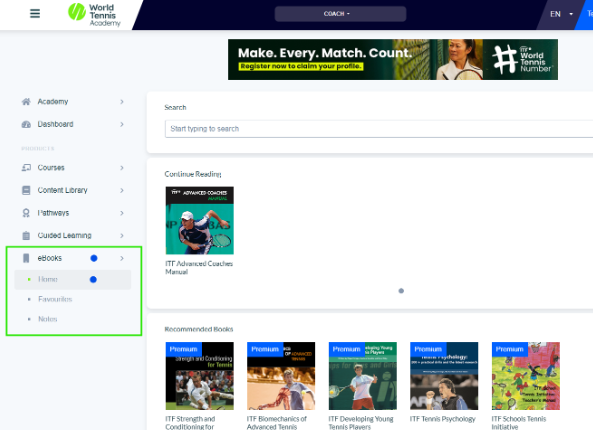
- Once logged in, in the menu (left), select ‘eBooks’ and within eBooks select ‘Home’
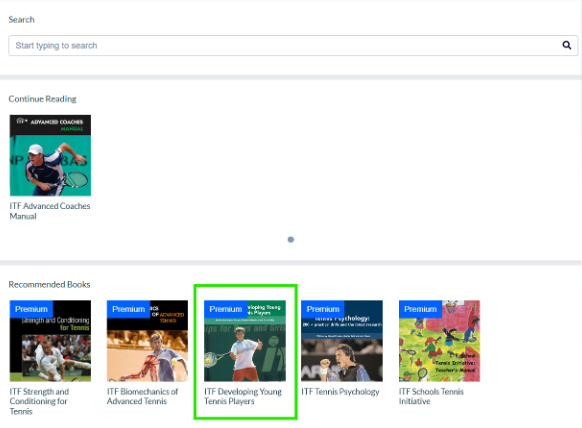
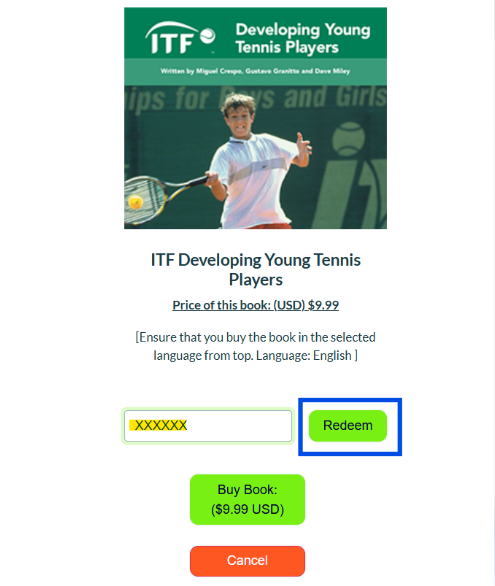
- Select the manual you received the voucher code for (Developing Young Players as example below)
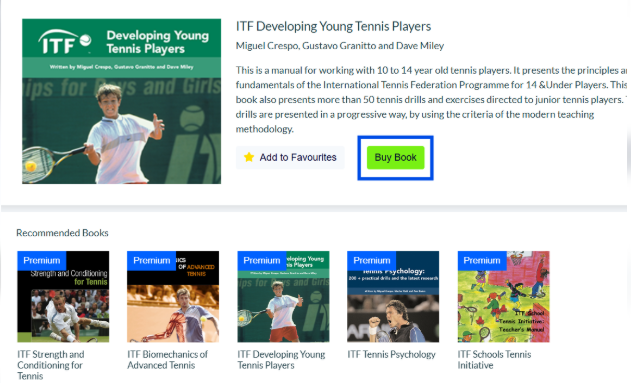
- *Make sure to select the correct language in the top-right corner of the screen, BEFORE entering the coupon code to access the e-books.
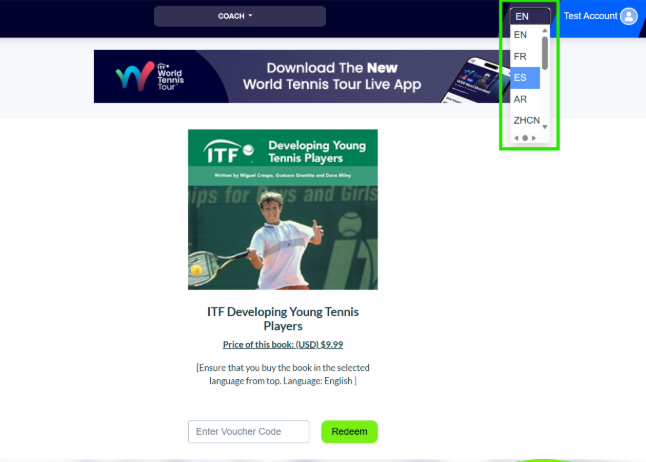
- Check the language chosen below the eBook. Enter the voucher code received (paste as ‘plain text’ or type the code in), followed by clicking ‘Redeem’.
- The eBook will now be available in your eBook Home and can be added to 'Favourties'
Did you find it helpful?
Yes
No
Send feedback Sorry we couldn't be helpful. Help us improve this article with your feedback.
